For managed service providers
Run Claude Enterprise budgets for all your clients
Your clients' people raise their own Claude limits within the rules you agree with each client. Your technicians handle the exceptions from one queue, and every increase resets on the 1st.
Multi-tenant from the ground up
One view across every client
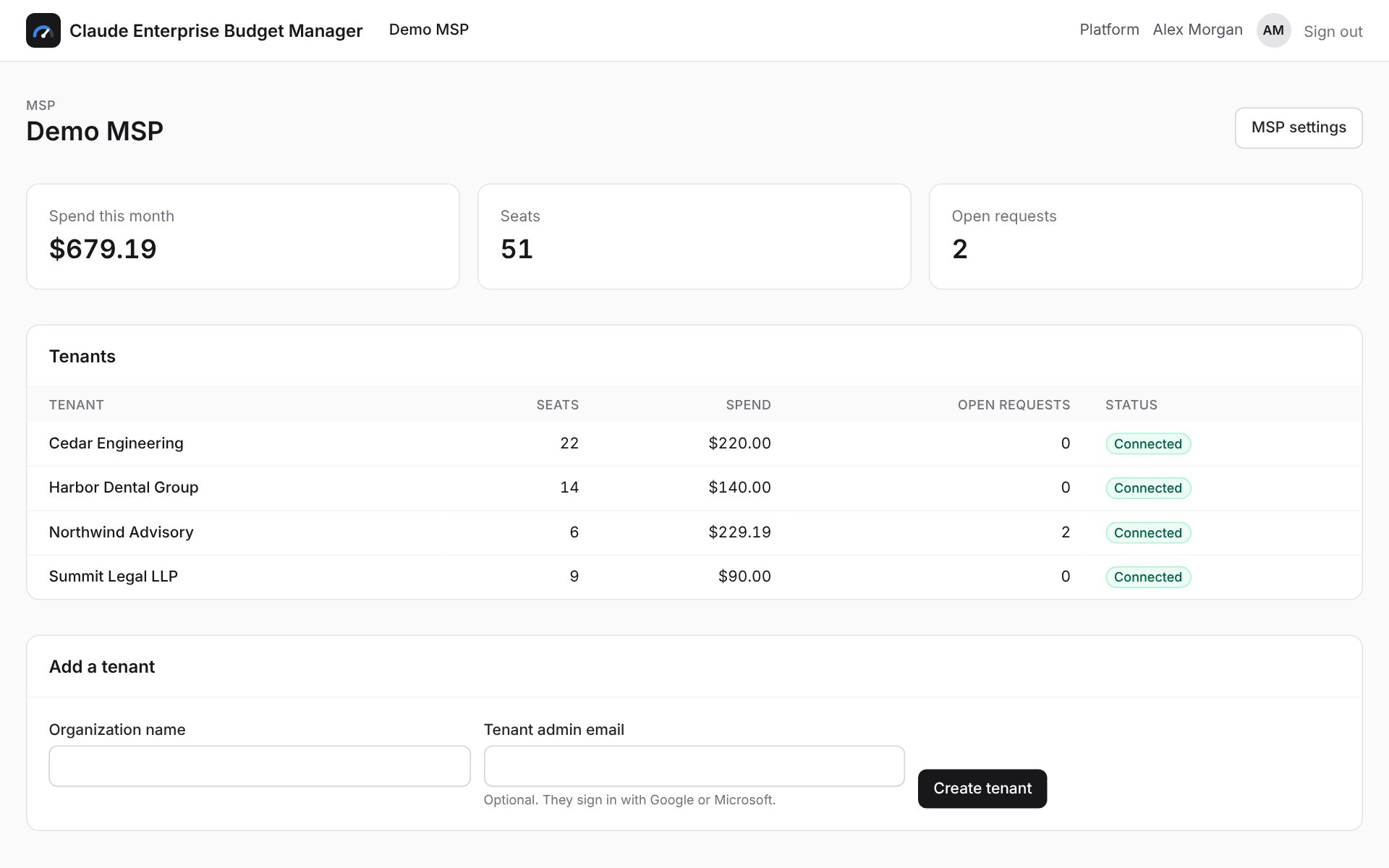
See every client tenant's seats, month-to-date spend, open requests and sync health on one page, and jump into any of them.
Roles that match how you work
MSP admins manage clients, tiers, keys and people. Technicians can see every client and approve requests, but cannot change settings.
Client-side approvers when they want them
Give a client's finance lead or manager approver rights for their own organization, or add them as an extra notification address on a tier.
Email from your domain
Send notifications through your own Mailgun account and from address. Any client can override that with theirs. If neither is set, the platform default is used.
Policy per client
Each client gets its own budget tiers, warning thresholds and reset rules, so a 20-seat firm and a 2,000-seat one can work differently.
Direct customers too
Organizations you don't manage through an MSP can sit directly on the platform, side by side with your managed clients.
Onboarding a client
-
1
Add the client
Create the tenant, add its email domains so staff can sign in, and invite any client-side admins or approvers.
-
2
Connect their Claude organization
The client's primary owner creates a scoped key in claude.ai. Paste it in, test it, and seats and usage sync.
-
3
Agree the rules
Start from the default tier ($50 base, $50 steps, instant to $150, approval to $300) and adjust it to what the client wants.
Stop managing Claude limits by ticket
Tell us about your Claude Enterprise rollout and we'll get your organization, or your clients, set up.